qain
Style-regression testing that reports what changed and what merely moved.
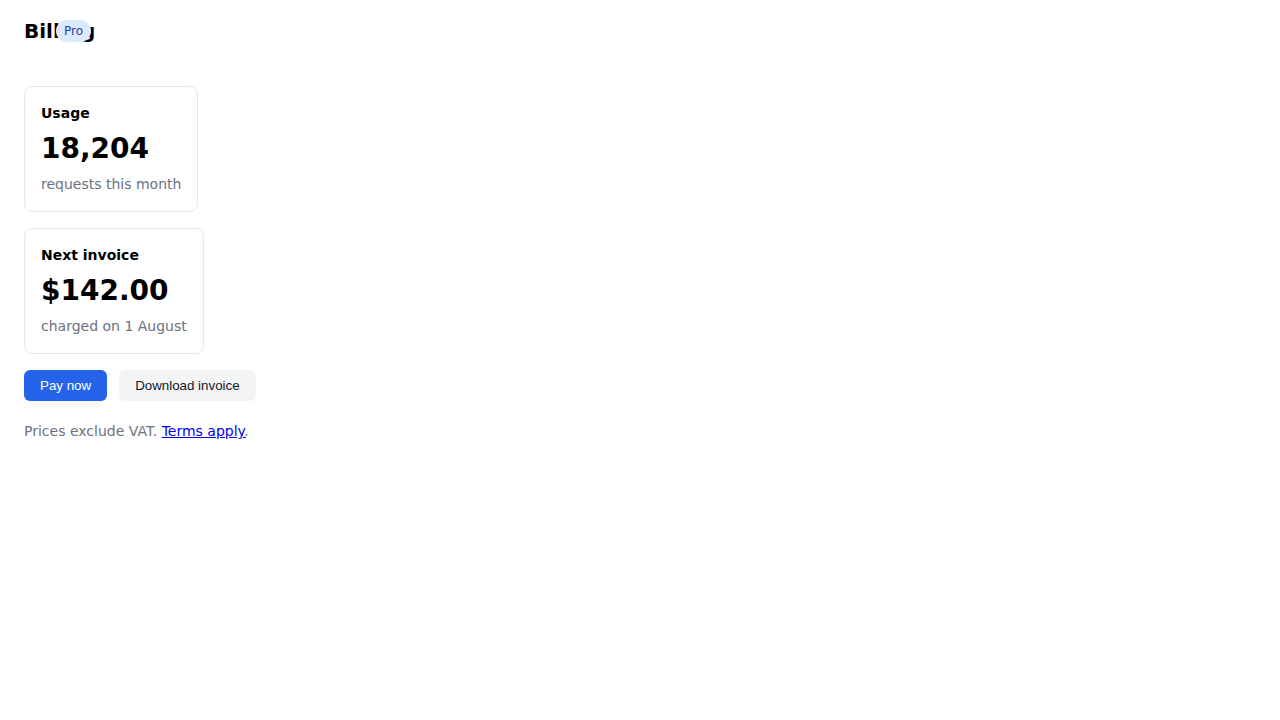
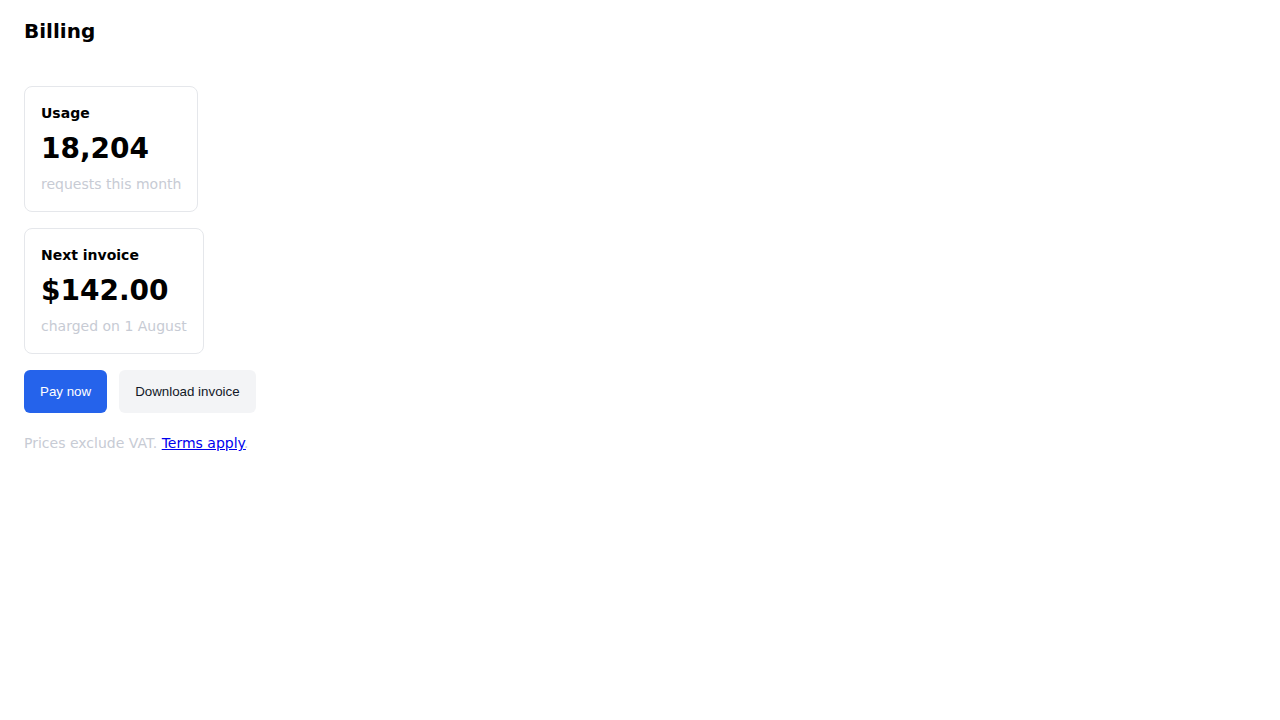
Not pixels — the browser's resolved computed styles, diffed semantically, with each change attributed to the CSS declaration that caused it.
The demo
One page, broken four ways at once
Everything below is generated by CI from the
example billing page and a
stylesheet that breaks it four ways: a reflow, a WCAG contrast regression, a stacking-order
change, and a :hover state that stopped differing — plus a utility-class rehash
that must produce no diff at all.

qain shot)Explore
See what qain produced
The pixel diff is where a screenshot tool stops. These are qain's answers — the same capture, rebuilt and explained.
Install
Run it on any URL a browser can open
Node 22+ or Bun. Then read the docs — getting started, the CLI reference, recipes, the snapshot format, and the library API.
npx playwright install chromium   # once
npx @qain/cli snap https://example.com --rules -o page.json